MAPS.ME is a map app similar in style to Google Maps. It works for those who want to use it online, much like Google Maps, but it’s also an open-source app that works offline. Its main feature is offline search – once you’ve downloaded a map, you can look up banks, restaurants, clinics, or any place you like even without an internet connection.
 Photo Source https://web.facebook.com/UCSYSUofficial/posts/4516712208390639
Its main drawbacks are the features that require an online connection, such as satellite/aerial imagery and route calculation, where Google Maps still has the edge. Another thing to keep in mind is that you need to download the maps you’ll need in advance, before you lose signal, and you should be careful not to clear the app’s data or uninstall it after downloading. It’s also especially important, given the current situation, not to share or post your location on social media.
The app’s strengths are as follows.
(1) Saves Space
To download the map of all of Myanmar on Maps.me, you only need a little over 100MB of storage.
(2) Easy to Use
Maps.me’s user interface and usability are more user-friendly and easier than Google Maps.
(3) Open Source
The most important thing for any map app is quality, and for a map app to be high quality, its location data needs to be accurate. Google Maps and Bing only use their own proprietary data, whereas Maps.me is built on OpenStreetMap Data, which is open source – making it more accurate and community-friendly, and closer to reality on the ground.
(4) Good for Travelers
Even setting aside its usefulness as an emergency app for the current situation, this is an app worth having for future travel too. Features like Book a Hotel, Point of Interest, City Guide, and Traffic Overlay are all quite useful for travelers.
For all kinds of reasons, people who find themselves away from their own home or town – in forests, in the hills, near conflict-affected areas, or anyone who may need to move to a new location at short notice – should install this app while they still have internet access.
Here are the details of how to use it, along with screenshots.
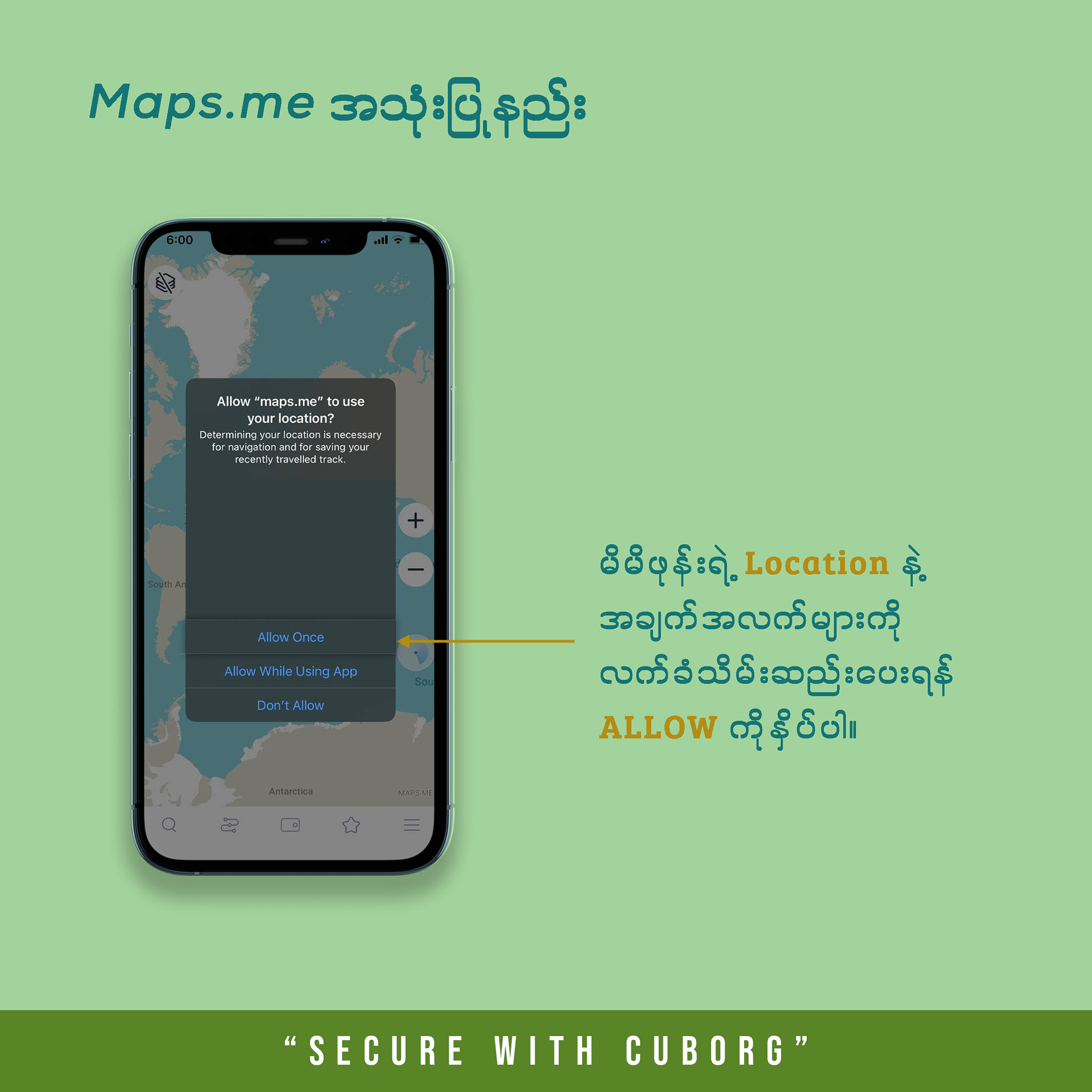
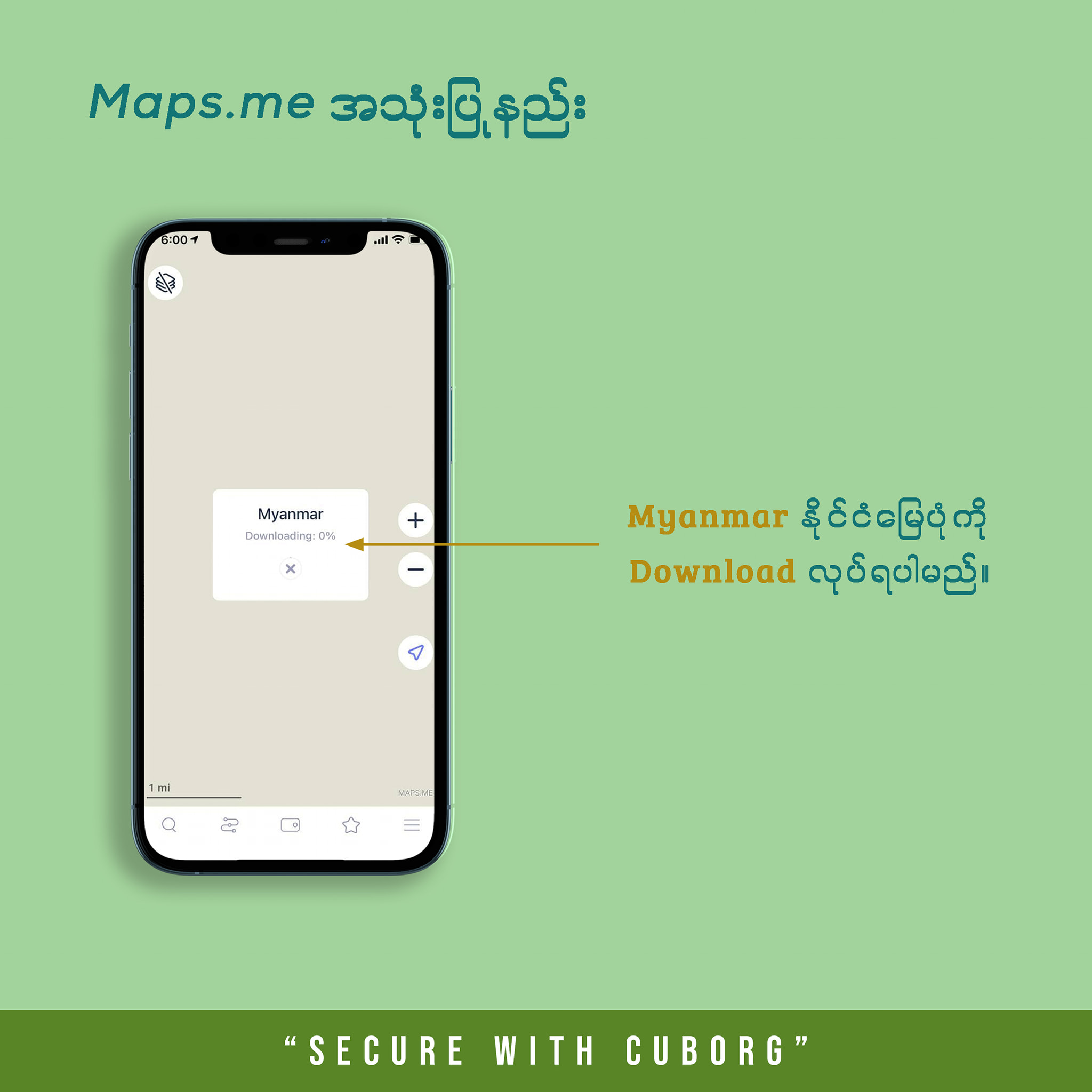
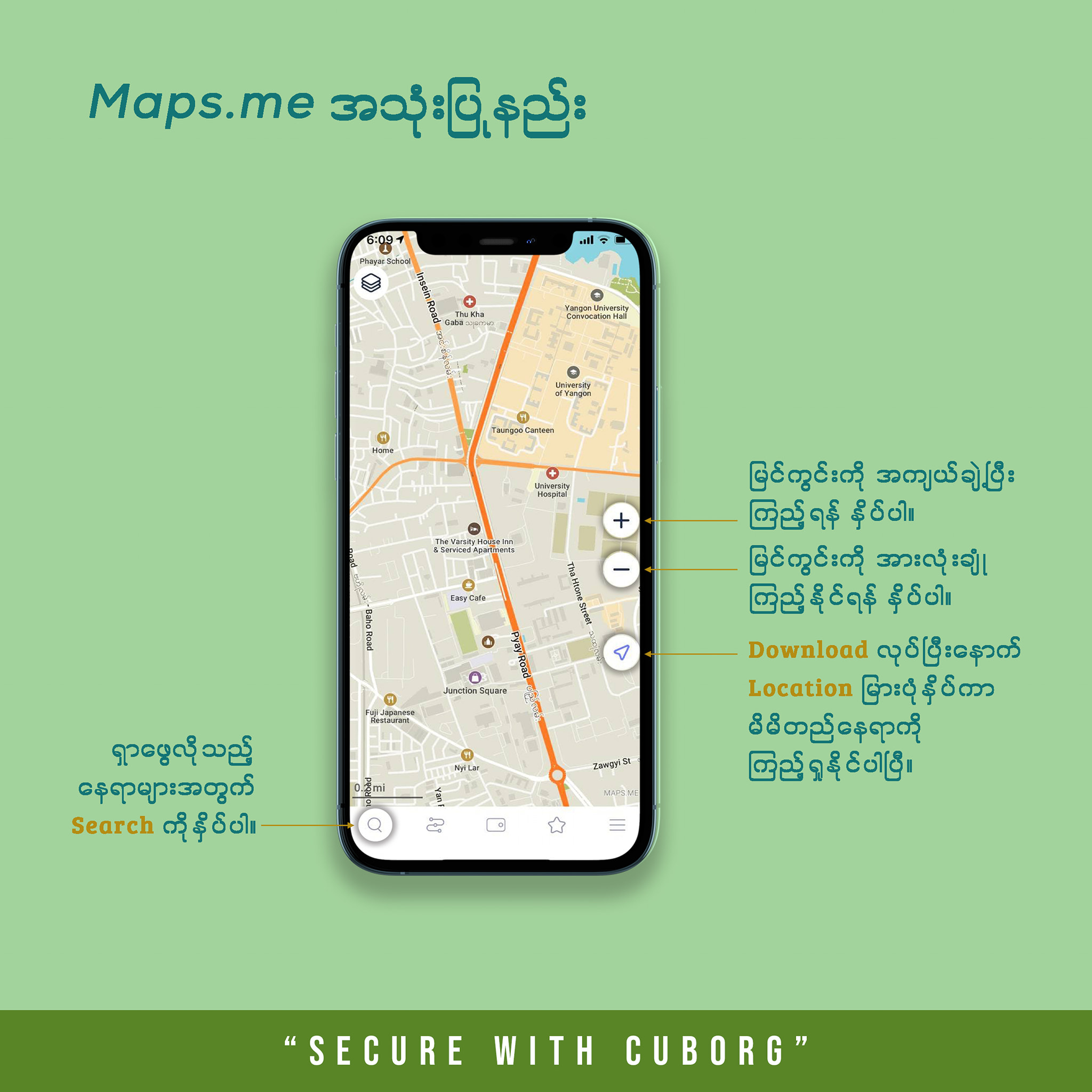
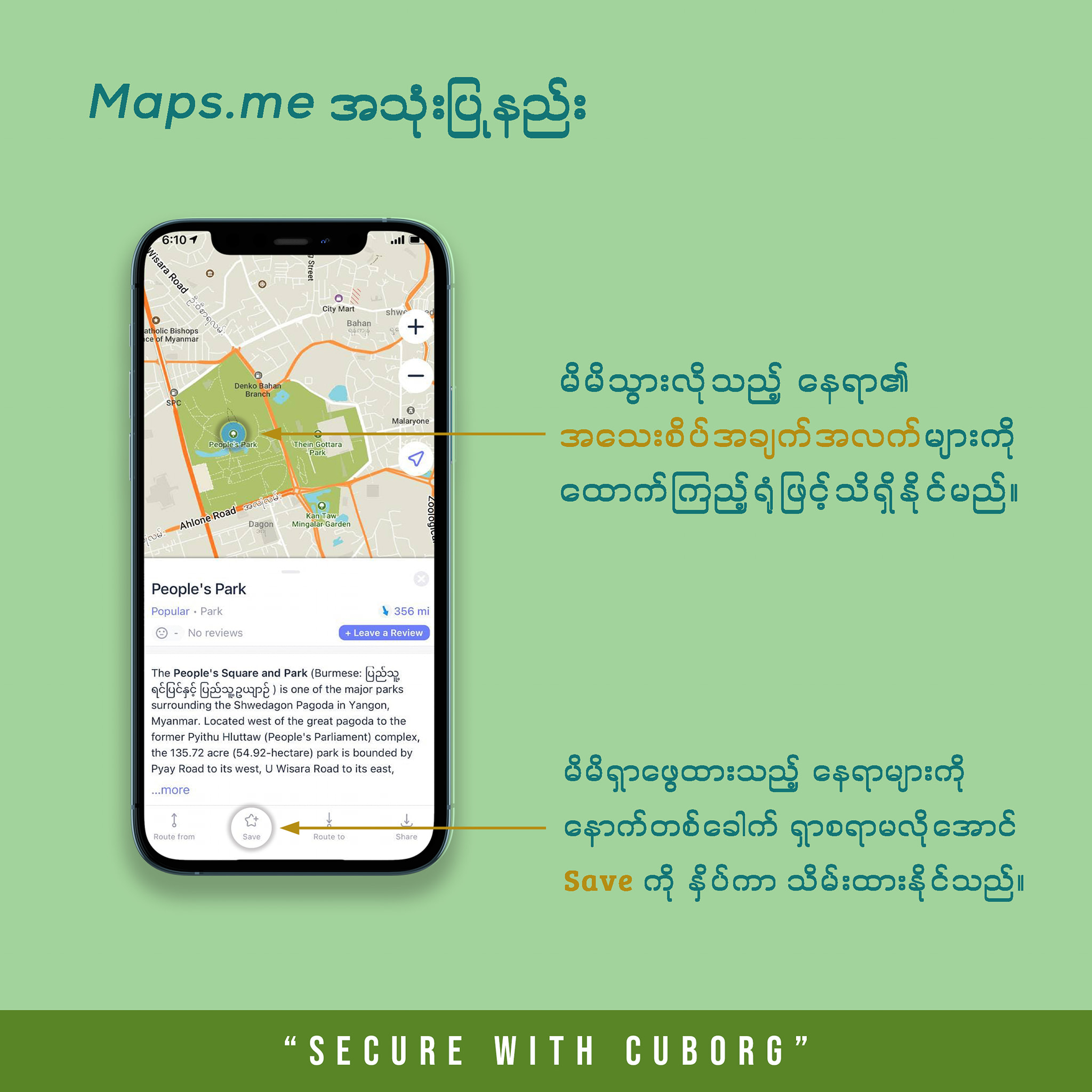
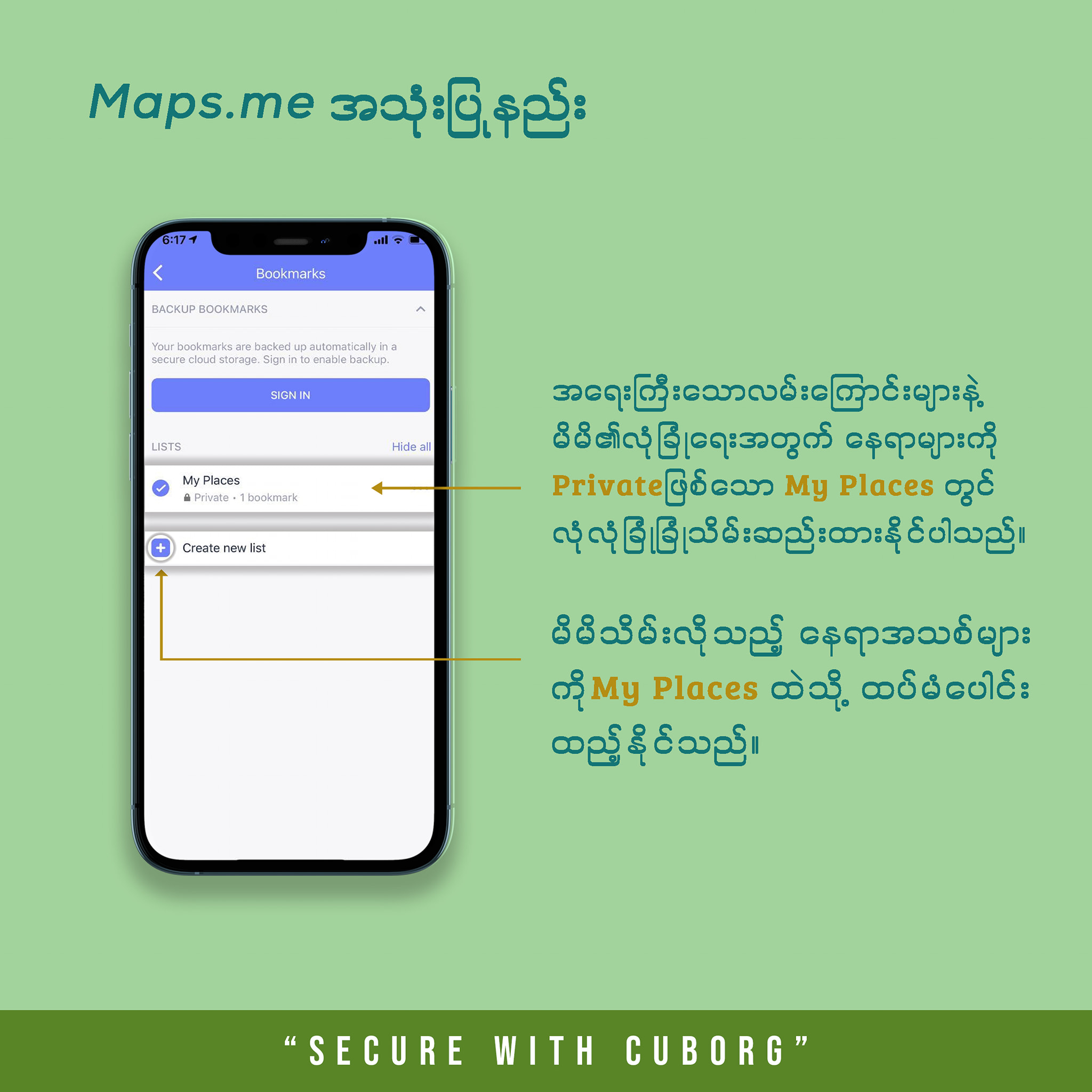
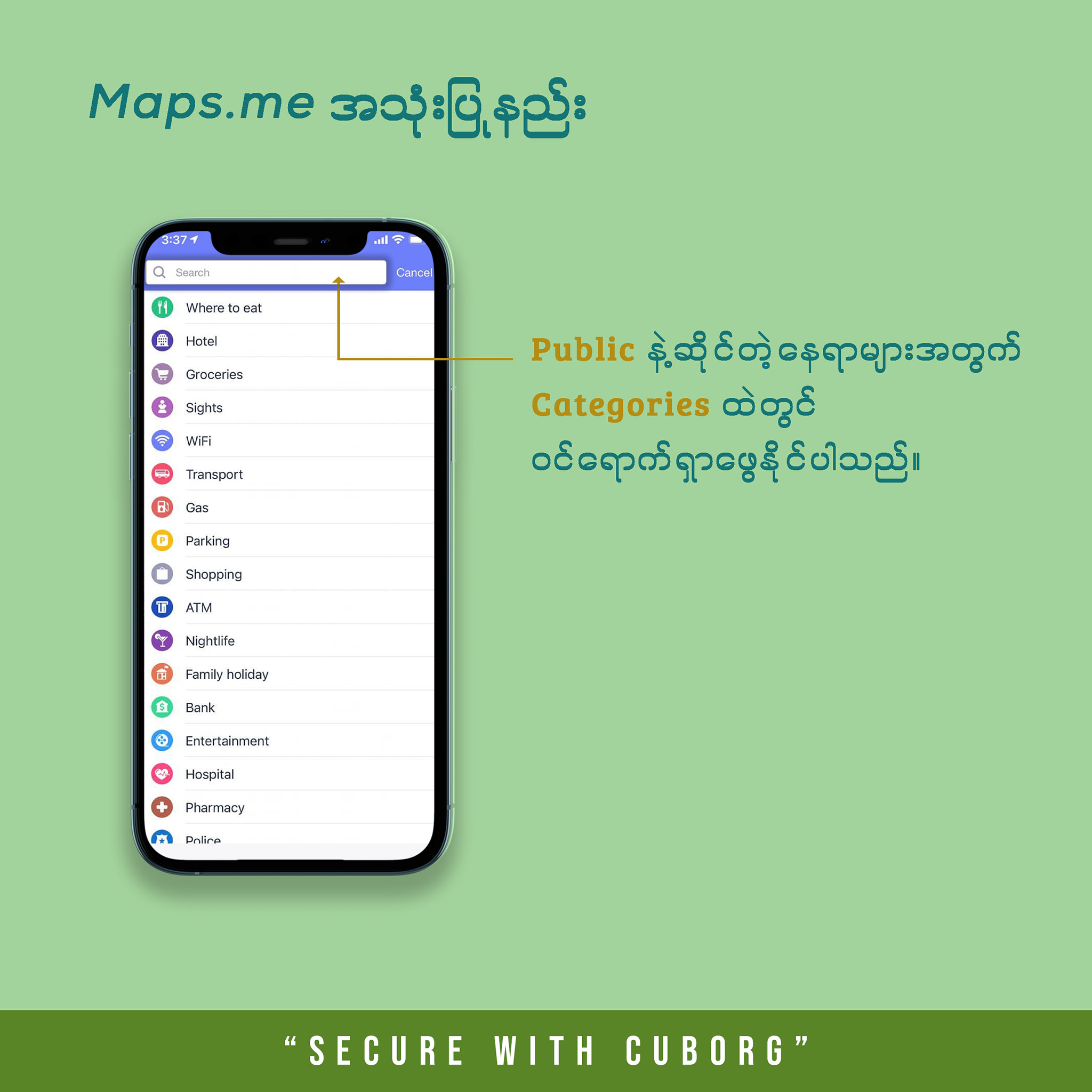
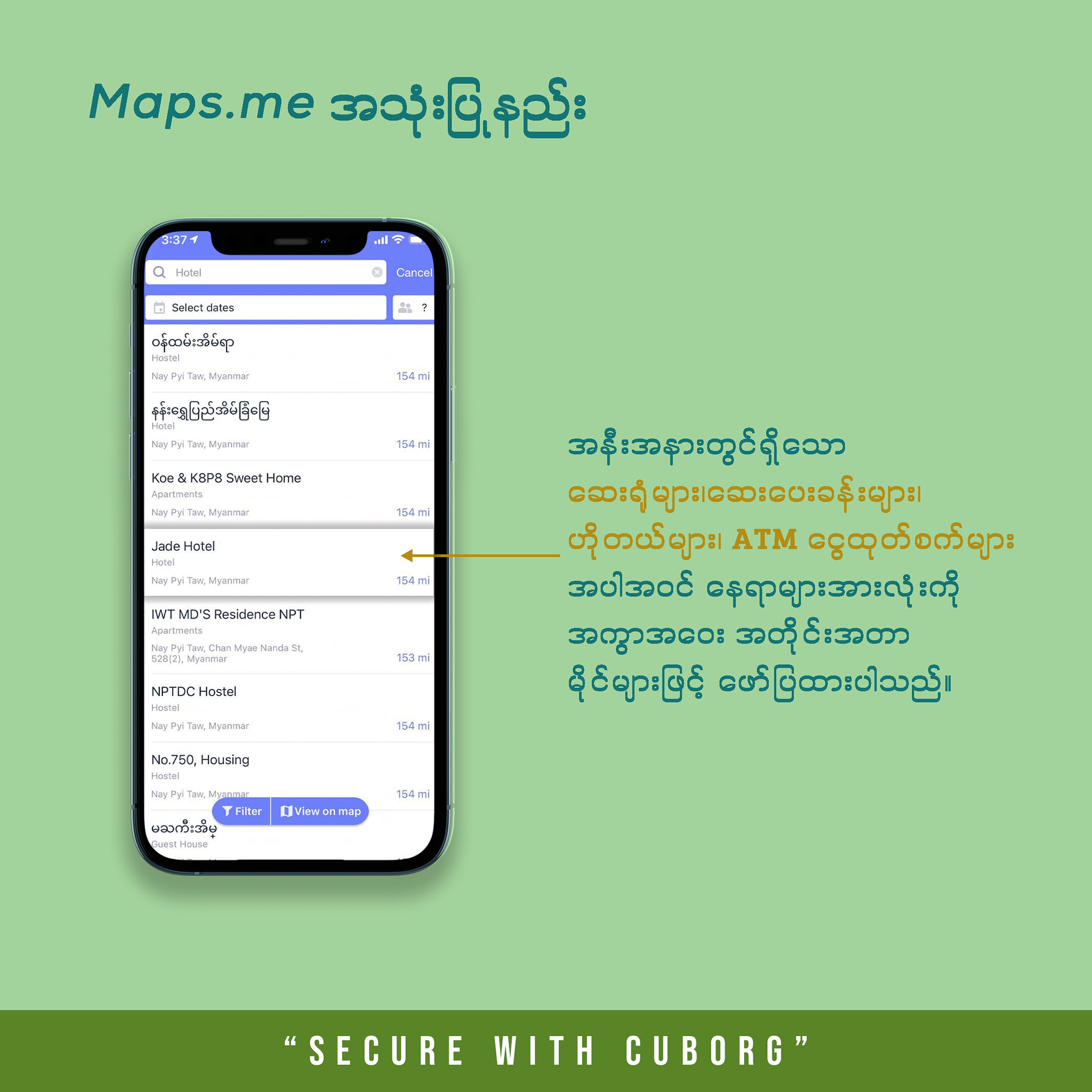
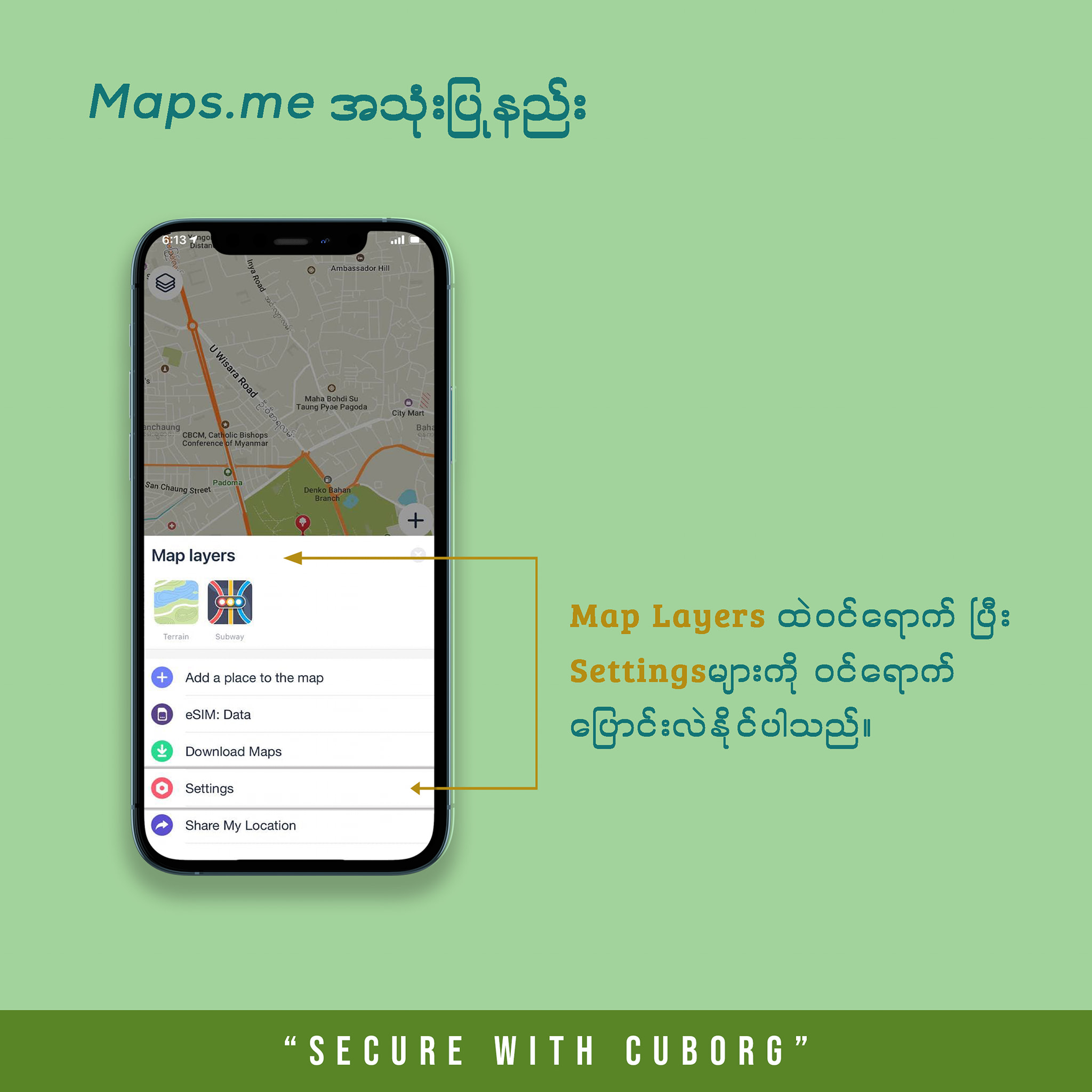
Photo Source https://web.facebook.com/UCSYSUofficial/posts/4516712208390639
You can install the app from the links below.
Android link
https://play.google.com/store/apps/details…
Apple link
https://apps.apple.com/…/maps-me-offline…/id510623322