
Apple devices, considered high-value targets, are frequently the subject of theft and loss. While it’s not easy for someone other than the owner to unlock an Apple device, Apple has now introduced a new feature to strengthen security in exactly these situations.
The newly released iOS 17.3 software update introduces a new feature called Stolen Device Protection, designed to guard against phone theft.
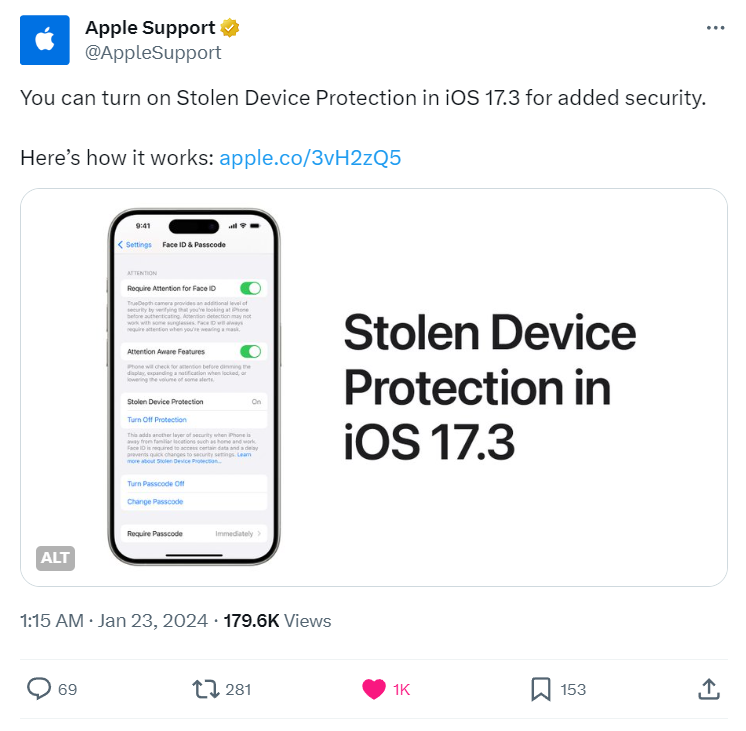
Image: X
Here’s how Stolen Device Protection helps: suppose someone looks over your shoulder while you type in your passcode and learns it. If Stolen Device Protection isn’t enabled and that person then steals your phone, they’d be able to unlock it and access your data. It might seem unlikely that phones get stolen this way, but according to a Wall Street Journal investigation, this exact scenario occurred more than a hundred times over the past year.
With Stolen Device Protection turned on, however, an extra layer of security is added for unlocking the device, accessing data, or changing your Apple ID. If someone tries to access the device or change its location while away from familiar locations, the person unlocking the phone will need an additional Face ID or Touch ID verification. If someone tries to disable Find My, change the Apple ID password or iPhone passcode, or turn off Stolen Device Protection itself, the iPhone will still accept Face ID or Touch ID, but will require an additional one-hour wait before allowing it.
To enable Stolen Device Protection, your iPhone software must first be updated to iOS 17.3 or later. Once you’re on iOS 17.3 or later:
1. Go to Face ID & Passcode.
2. Enter your passcode.
3. Tap “Turn On Stolen Device Protection.”
Those three steps are all it takes to enable the feature, and the same three steps let you turn it off. However, if you try to turn it off while in an unfamiliar location, the security feature will kick in and require re-verification. Apple also recommends turning this feature off before selling, giving away, or trading in your phone.