AI, or Artificial Intelligence, has become such a core part of modern technology that it’s now practically indispensable across the applications, software, and devices — smartphones and laptops included — that we use every day. AI systems and automated workflows are increasingly replacing plenty of tasks people used to do manually. AI has also been steadily making inroads into the world of painting and digital art.
You may have also noticed headlines circulating on social media asking whether AI has entered the world of digital art and design, and whether it’s about to go head-to-head with artists who create from their own imagination. What we’re covering here is an AI system called Midjourney, which generates digital images based on whatever concepts and details you describe to it. Since the AI does all the work, you don’t need any painting skills yourself. To get started with Midjourney, all you need is to install the Discord app on your phone, computer, or laptop.
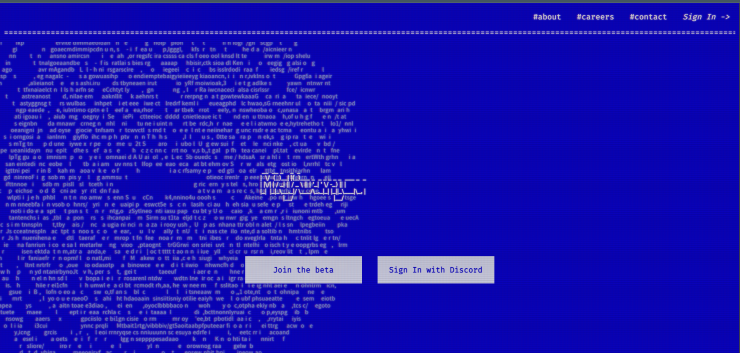
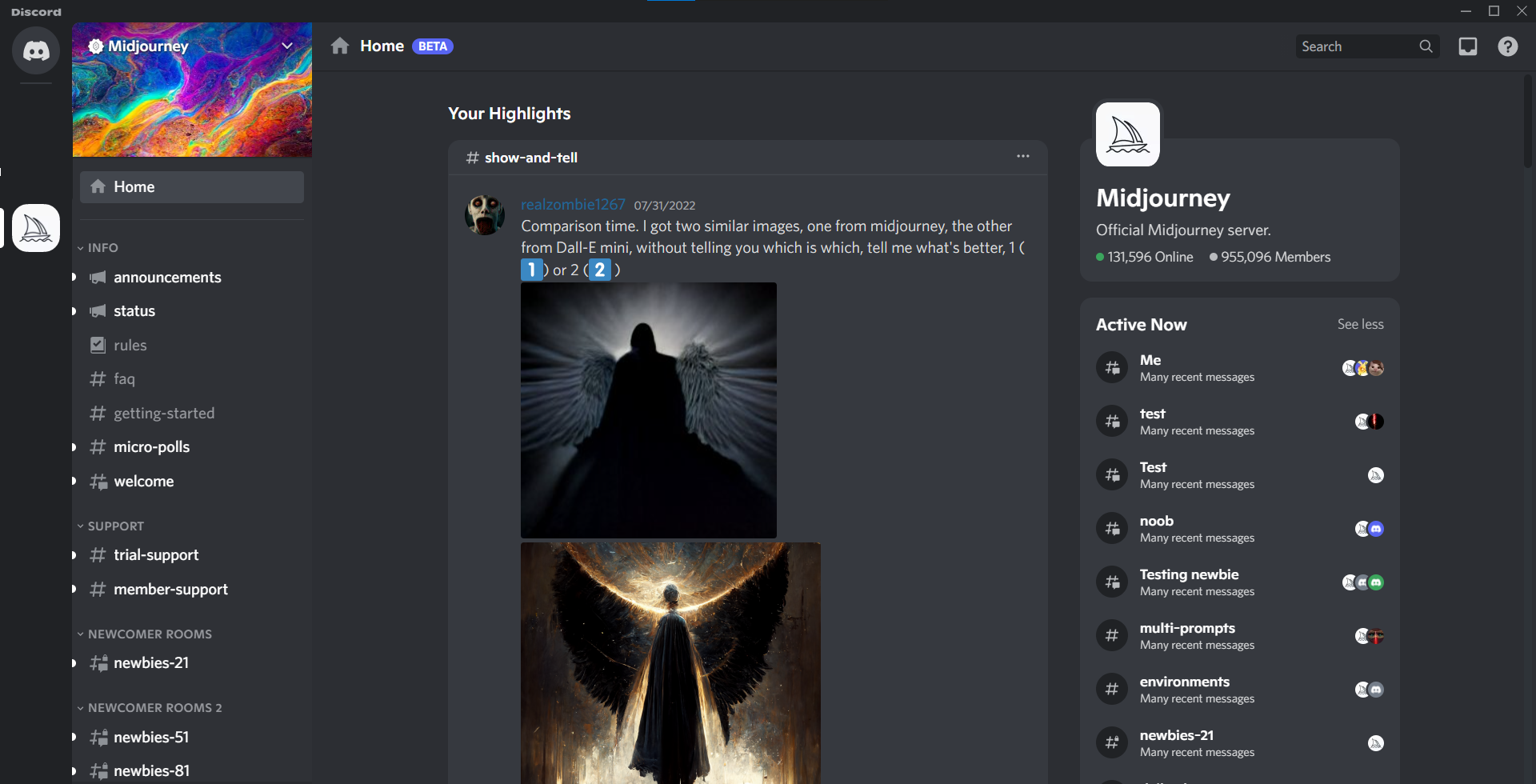
Once you’ve installed Discord and visited https://www.midjourney.com/, you’ll see “Join the beta” and “Sign In with Discord” options, as shown. Clicking “Join the beta” automatically connects to your existing Discord account and lets you get started. You won’t be using it through a website or standalone app — instead, you use it within a server inside the Discord app. Once you find the Midjourney server, you can start creating digital images in any text channel, whether from the “Active Now” channels shown on the right of the Home channel, or from one of the Newcomer Rooms.
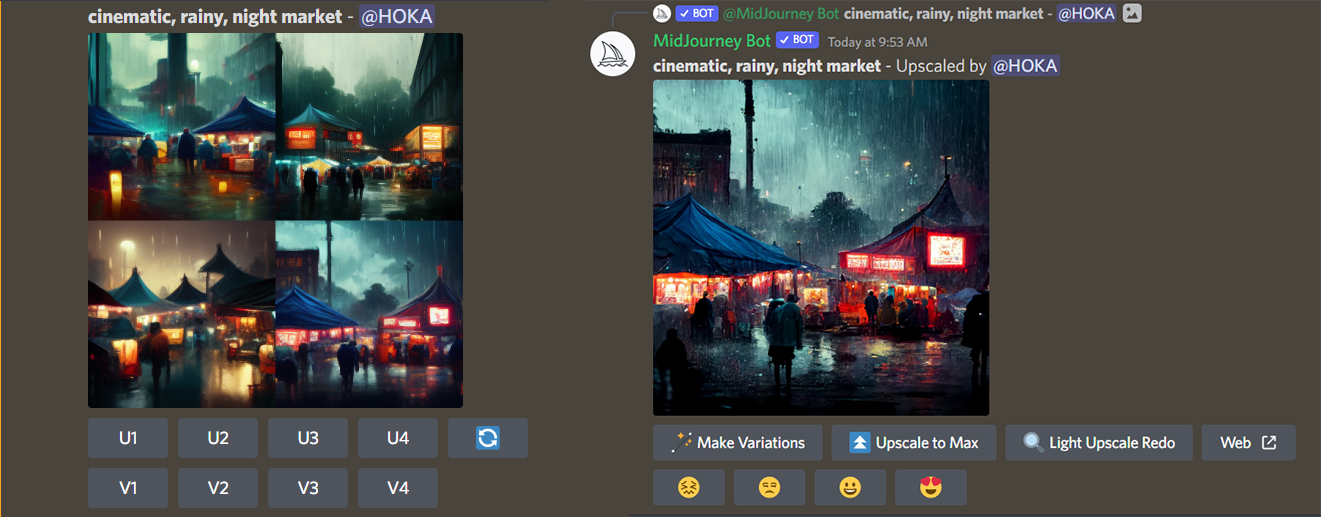
To tell the AI what image you want, you start by typing the /imagine command. Click the /imagine prompt option that appears, and type what you want in the text box. For example, you might type /imagine cinematic, rainy, nightmarket. Since the AI generates the image content on the server side, there’s no need to worry about your own device overheating. Generating an image does take some time. Once it’s complete, four image options will appear, as shown. Below the images, U1, U2, U3, U4 let you upscale whichever image you like, while V1, V2, V3, V4 regenerate similar variations. In this example, since image number 4 was the preferred one, U4 was clicked to upscale it. Once you’re happy with the result, you simply save the photo.
On the free version, every user can create four digital art images. For those who want to subscribe, there are two paid tiers: the Basic Membership at $10/month for 200 images per month, and the Standard Membership at $30/month for unlimited images. There’s also a Corporate Membership under the Enterprise Plan.
Even if you’re not planning to pay for it, Midjourney is a server well worth trying out, since it lets you use AI to bring your own imagined images to life. It’s still only in beta, but it’ll be interesting to see what features get added down the line, and what other AI-based websites and tools emerge in this space.
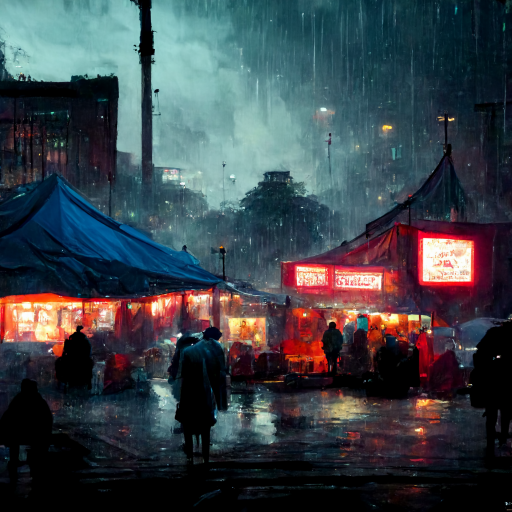
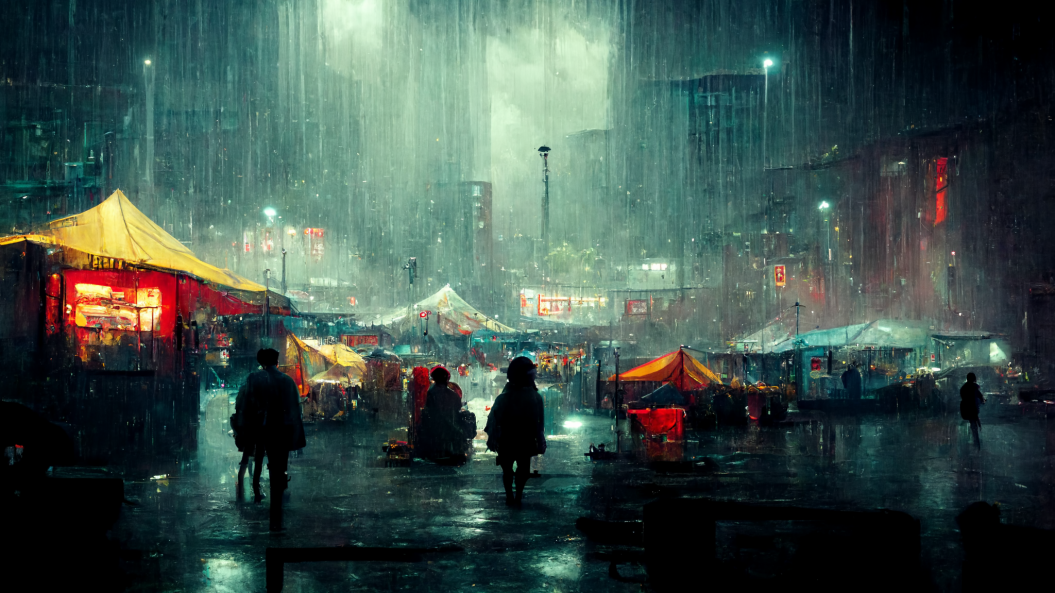
“cinematic, rainy, nightmarket” — digital image created with Midjourney
Those who want to try it out can create an account at https://discord.com/ and download the PC version, or get the Discord app via the Google Play Store for Android and the App Store for Apple devices. Once you’ve created an account, you can head to https://www.midjourney.com/ as described above to get started.
FAQ
Q: Do I need to know how to draw to use Midjourney?
A: No — you just describe what you want in a text prompt, and Midjourney’s AI generates the image for you.
Q: How many free images can I generate with Midjourney?
A: The free version lets each user create four digital art images; paid plans start at $10/month for 200 images, with a $30/month tier for unlimited images.