
We’ve come a long way from the era of placing an announcement in a newspaper to today’s era of promoting through social media over the internet. And when people say “social media,” Facebook is naturally the first thing that comes to mind — businesses and course providers commonly promote through a Facebook Page or a Facebook Group.
Alongside this reliance on Facebook, other social platforms have emerged with their own take on “talk, or just post updates.” Viber is one such messaging app, having been in use since 2020. Just as it supports group voice calls and chats, Viber also introduced the ability to create Viber Communities starting in 2018. Even though it’s been around for a while now, here’s a step-by-step guide for those who still aren’t sure how to set one up.
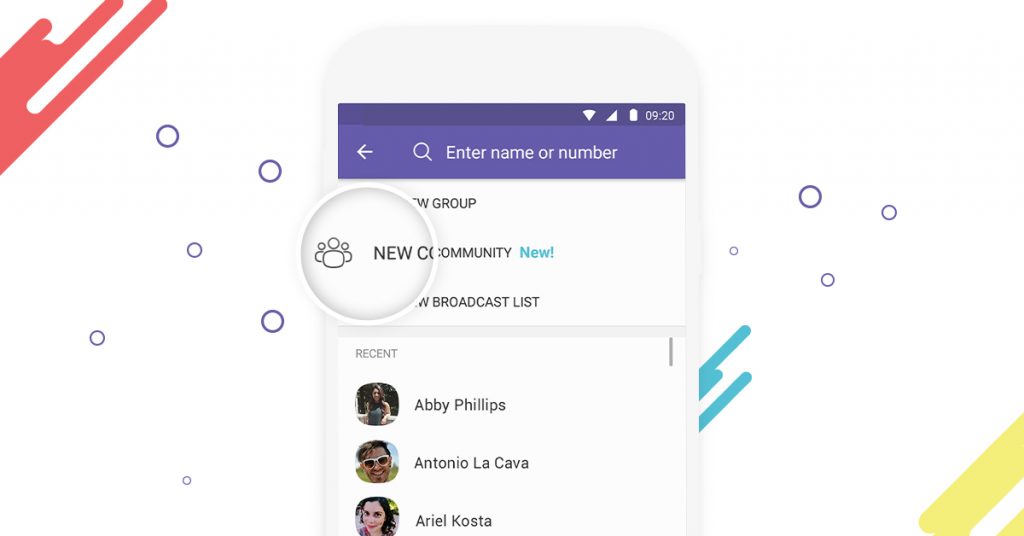
Photo Source https://www.viber.com/en/
To open a Viber Community:
1. Tap the Compose icon
2. Select “New Community” since you’re creating a Community
3. Enter the name you want for your Community
4. Add a relevant description for the Community
5. Tap the camera icon to add a Community icon
6. Tap the checkmark at the top to confirm
7. Select the contacts you want to add to the Community (contacts added at this step automatically become Admins)
Viber Community has three roles: Superadmin, Admin, and Member. The Superadmin is the person who created the Community and has full control over it. Admins are appointed by the Superadmin and manage the Community’s content. Members are those who have joined the Community.
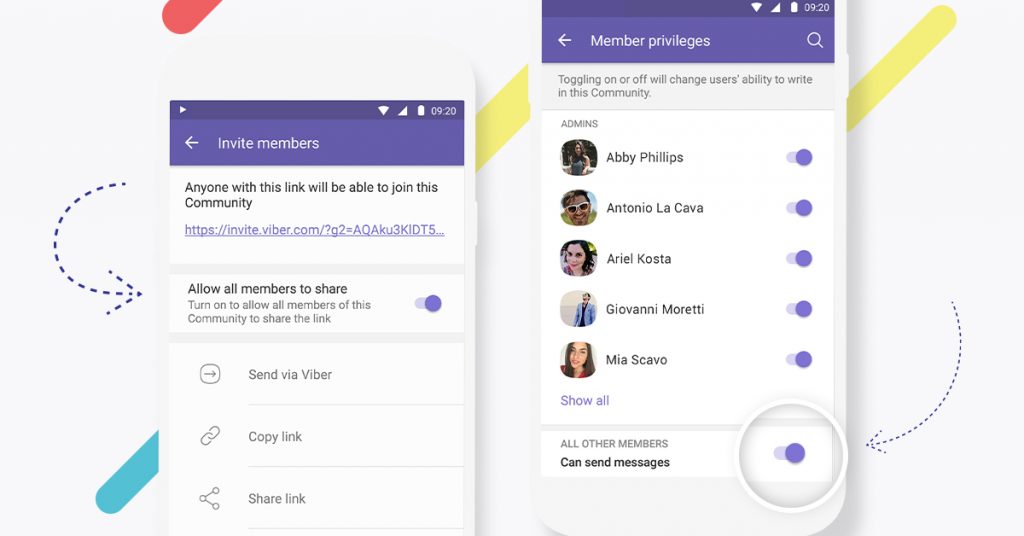
Photo Source https://www.viber.com/en/
A Superadmin can:
- Control what Admins and Members are able to post.
- Add or remove Members.
- Promote Members to Admin or even Superadmin.
- Ban or block Members.
- Edit the Community’s photo, name, and description.
- Decide whether Members are allowed to chat within the Community.
- Invite new Members.
- Pin messages for group discussions.
- Delete a single message or all messages from a Member.
Admins can:
- Add or remove Community Members.
- Pin messages for group discussions or to make sure everyone notices something important.
- Delete a single message or all messages from a Member.
Other Members can react to and comment on posts, and — if permitted — send their own messages and photos.
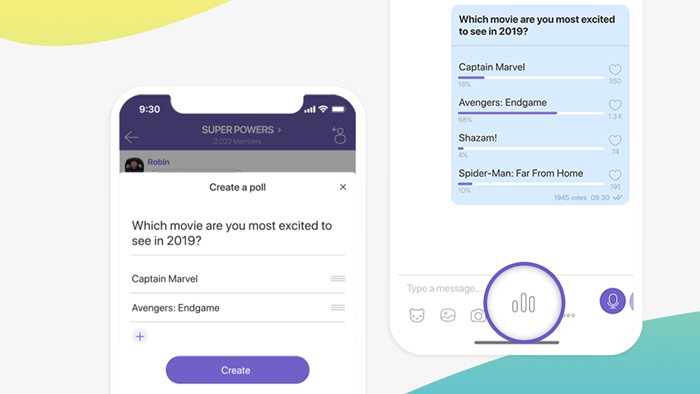
Photo Source https://www.viber.com/en/
Unlike other public chats, a Viber Community lets you go straight from the main chat list into a private chat with a member. Admin roles are comprehensive, and Member activity can be adjusted as needed. Through the “Info” section, you can also check your Community’s insights. Communities are also easy to find by searching with “@”. Whether in a Group or a Community, the Poll feature is a handy tool for gathering the feedback you need.