In today’s internet age, there are countless websites out there — some genuinely useful in ways you wouldn’t expect, some well-known but just not to your taste, and some that win you over with how simple they are to use. Finding the ones that actually fit what you need usually means wading through ads, “best of” roundup articles, or word-of-mouth recommendations rather than searching on your own. And searching on your own, if you actually try it, eats up a surprising amount of time. So whether you’re working or studying, here are five websites worth knowing about — useful, interesting, and worth bookmarking.
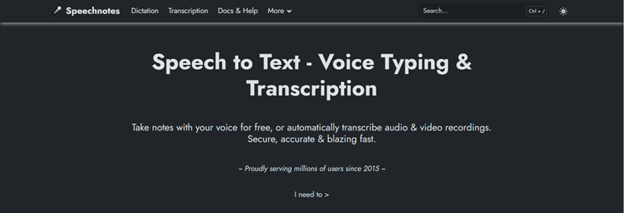
Image: Speechnotes
1) Speechnotes
There’s no shortage of tools, extensions, plugins, and websites that convert audio to text, but Speechnotes stands out for how simple it is to use — just hit one button and start talking to turn your speech into text. You can download the text file, save it straight to Google Drive, send it by email, or print it out directly. You can pick the language you’re speaking in, and beyond live audio-to-text conversion, it can also transcribe recordings, audio files, and video files all in one place, which is genuinely convenient.
You can use Speechnotes – Speech To Text via the website, Android app, or iOS app. As for pricing, the free Dictation plan covers unlimited dictation, the online notepad, the voice-typing extension, and editing. For more features, the Dictation Premium plan costs $1.9/month, and the Transcription plan costs $0.1/minute.

Image: Cleanup.pictures
This isn’t a background-remover site like remove.bg. Cleanup is a website that lets you erase unwanted text or small objects from a photo without touching any graphic design software or tools. It’s worth knowing about simply for its simple interface and the fact that it’s free to use. On pricing, you can edit unlimited photos at 720p resolution for free, but for $3 to $11 you can get high-quality output, along with more advanced background removal and replacement.

Image: MixKit
3) MixKit
MixKit is a free website offering high-quality stock footage, music, sound effects, and video templates you can drop into your creative projects. There’s no need to even create an account — you can download videos for free, and you don’t need to credit the site either.
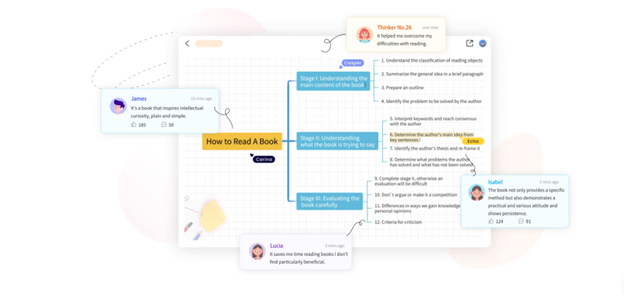 Image: GitMind
4) GitMind
GitMind is an AI-powered mind-mapping tool website. It’s great for brainstorming, note-taking, and building clean, visually appealing mind maps, flowcharts, and diagrams. If you’d rather use it through an app, GitMind also has an Android app and an iOS app you can download.

Image: Downloader.la
If you want high-quality images from sites like Adobe Stock or Getty Images but don’t have the budget to pay for them, Downloader.la is a website worth knowing about. Beyond Adobe Stock and Getty Images, you can copy the image link from other websites too and download the image through Downloader.la.