Online scams are a threat facing every internet user. On Facebook, scams often happen when people create fake accounts, or try to steal accounts or pages that users already trust. Scammers use these fake or compromised accounts to trick users into handing over money or personal information.
To help Myanmar’s Facebook community stay alert to scams and report pages or posts involved in scams, here are some key points to know, following Meta’s “Know, Check, Report” approach.
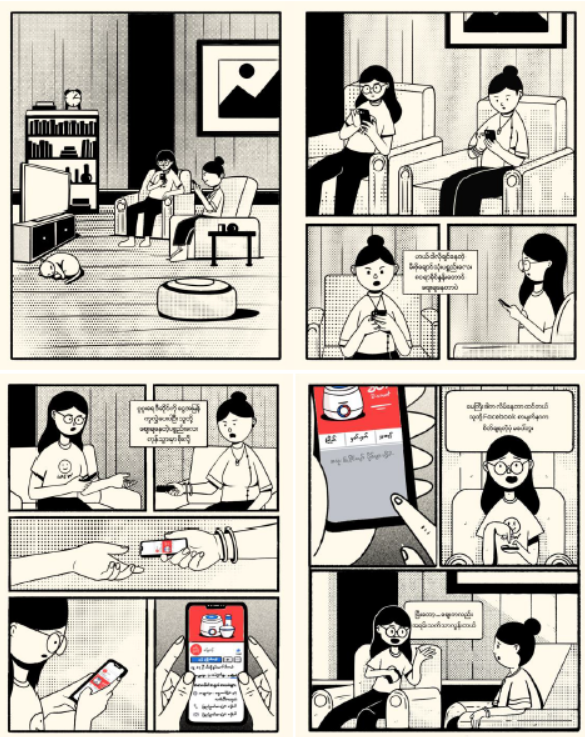
How to recognize scams
If you can recognize the patterns scammers and impersonators use, you can avoid becoming their victim. Watch out for the following signs:
- Someone you don’t know personally asking you for money.
- Someone asking for a fee in order to apply for a job.
- A page without a verified blue checkmark claiming to represent a large organization or well-known person.
- Someone who, mid-conversation on Facebook, asks you to switch to a private, less visible or less secure channel, such as a separate email.
- Someone asking you to send them money or gift cards in order to receive a prize.
- Someone asking you to do something urgently because a friend or relative is supposedly in an emergency.
- Someone whose location appears to be spoofed.
- Messages or posts with poor spelling and grammar.
- Someone or an account asking you to visit a certain place to claim a big prize.
If an offer or deal seems too good to be true, it’s probably a scam. Be careful not to share personal information with people or organizations you don’t know or trust.
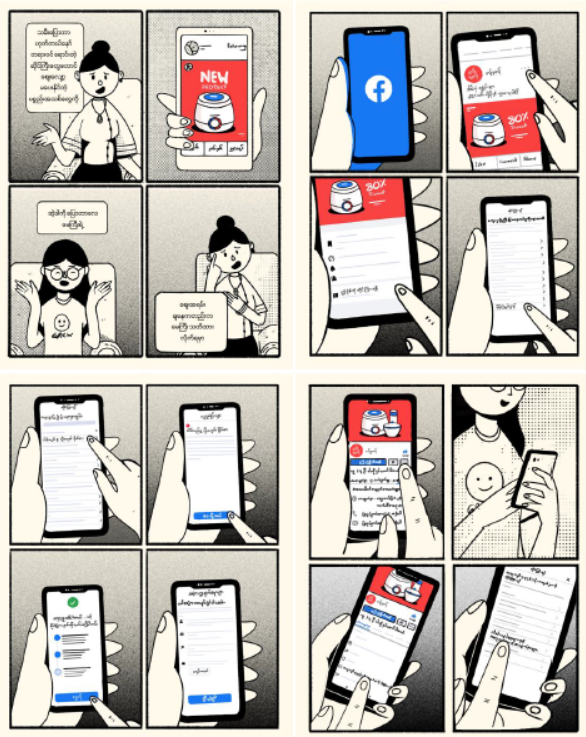
How to check for scams
Scammers and impersonators don’t always use the same method to deceive their victims. So if something seems suspicious, always check and verify it.
Look for Facebook’s verified blue checkmark. This badge means Facebook has officially confirmed that the business page, profile, or public figure is genuine.
How to report scams
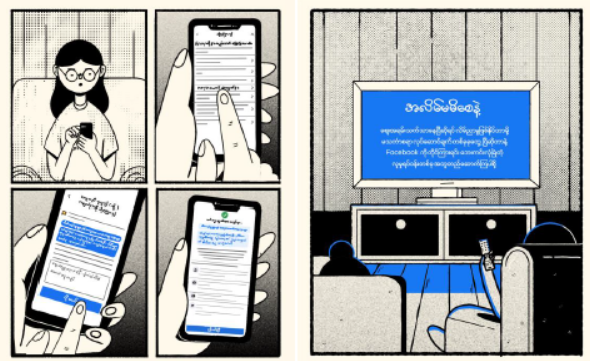
Whether you notice a questionable post in your News Feed or receive a message on Messenger containing a suspicious link or offer, if you encounter scammers or suspicious activity, you can report any post, page, or direct message so Facebook can review it.
To report a post on Facebook:
1. Go to the post you want to report
2. Tap the “…” in the top right corner of the post
3. Select “Report post”
4. Choose the option that best describes the issue, then follow the on-screen instructions
To report a profile on Facebook:
1. Go to the profile you want to report
2. Tap the “…” next to “Message” on the cover photo
3. Select “Report profile”
4. Choose the option that best describes the issue, then follow the on-screen instructions
To report a message on Messenger:
1. Open the conversation you want to report
2. Tap the “i” in the top right corner of the conversation
3. Scroll down and select “Report”
4. Choose the issue, then follow the on-screen instructions
You can learn more about how to report different types of content here.
Meta’s community handbook for Myanmar can be downloaded at https://myanmar.fb.com/br/digital-literacy/. Available in both Myanmar and English, the handbook covers community standards along with safety information for Facebook, Messenger, Instagram, and WhatsApp.